
Label Application: Manual, Semi-Auto & Automatic
Choose an application method around the actual product mix, usable capacity and approval requirements. A nominal speed or monthly volume cannot make the decision on its own.
THE SHORT ANSWER
Pick the unwind position that matches your applicator, then price the label. Compare manual application, dispensing aids, semi-automatic equipment and integrated automatic labeling using the same finished containers and label construction. Measure accepted units, staffing, changeovers and interruptions. Confirm the machine-specific roll drawing before ordering labels; automation level alone does not determine core size, gap or unwind.
Find your unwind position
Tell the applicator operator which edge should come off the roll first. Pick the copy position that matches your applicator, then put it on the quote.
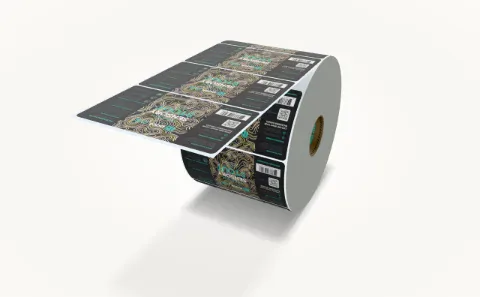 #1 Top edge first
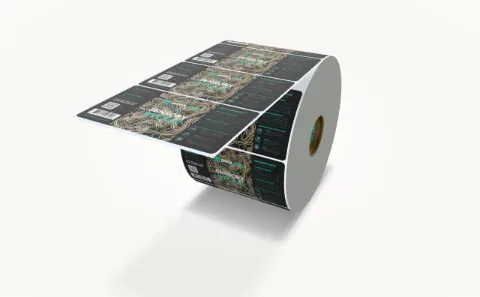 #2 Bottom edge first
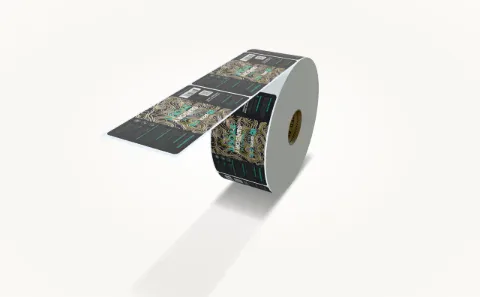 #3 Right edge first
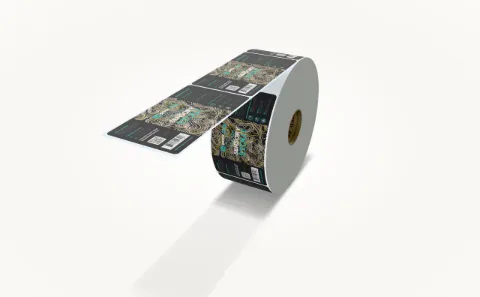 #4 Left edge firstFind your unwind position on a 3D roll Copies 1 to 4 wind out. See all eight on a real label →
Why start in PackOS
Once you know the details, see the price, the dieline and your label on a roll in one place.
From file to price in PackOS
What you get in PackOS

Skip the spec form
Upload a PDF or AI file and PackOS reads the size, shape, colors and finishes from your design. Nothing to retype.
Upload artwork →Instant price · sample label
| Run | Per label | Total |
|---|---|---|
| 10,000 | $0.1996 | $2,346 |
| 60,000 | $0.1692 | $10,500 |
| 110,000 | $0.1670 | $18,722 |
| 150,000 | $0.1663 | $25,290 |
| 200,000 | $0.1658 | $33,500 |
| 250,000 | $0.1655 | $41,725 |
Know the price before you ask
Every quantity is priced as soon as the file is read, with no waiting on a quote. Runs start at 10,000 labels per size with at least 2,500 per SKU. Your price depends on your artwork. Order online; the proof and a payment link follow by email.
Get instant label pricing →
Get a production dieline
No artwork yet? Draw the die with cut, bleed and safe-area lines so your designer starts from the right shape. We email it with your quote.
Create a label dieline →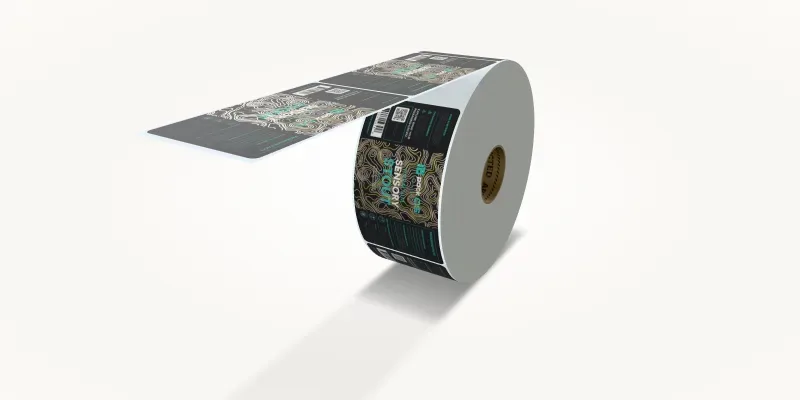
See it on the roll first
Turn your label on a 3D roll in the copy position you choose and check it before you order.
Upload artwork →Labels only. Foil, embossing and other specialty work are quoted by our team.
Define the job before choosing the equipment
Start with the container and its condition when labeling, the label location and number of labels per unit, placement criteria, code or artwork checks, SKU mix and required accepted output. Include filling sequence, changeovers and how finished units will be inspected. A label design and an application process need to work together.
Separate required output from a vendor’s maximum dispensing speed. A machine may dispense labels faster than the surrounding operation can present, handle, inspect or pack products. Record units consistently: labels per minute and finished units per minute differ when a container carries more than one label.
Compare the work each method performs
| Method | Who performs placement and handling? | What to establish in a trial |
|---|---|---|
| Manual application | An operator removes and places the label; a fixture may assist positioning. | Accepted output, placement variation, staffing, operator fatigue and handling needs for the actual product. |
| Dispensing aid | A device presents a peeled label; the operator may still place it on the product. | What the dispenser automates and what manual work remains. Do not assume dispensing alone controls placement. |
| Semi-automatic application | An operator typically loads or positions a product and initiates or enables an application cycle. | Supported container geometry, cycle and handling time, fixtures, changeover and inspection requirements. |
| Integrated automatic application | Product movement, detection and application are integrated with the line; personnel still operate and support it. | Product presentation, transfer method, line synchronization, rejects, replenishment, maintenance and SKU changeovers. |
HERMA distinguishes manual dispensers from applicators integrated into semi-automatic and automatic systems. Treat those categories as a starting point for describing the work, not as universal volume bands or a guarantee of placement quality. HERMA applicators and dispensers.
Labeling cosmetics? Start with the cosmetic label page.
Cosmetic labels →A multi-SKU enterprise program may use more than one method. Evaluate prototypes, short replenishment orders and longer production runs separately when their changeovers, presentation or inspection requirements differ.
Agree the roll drawing with the equipment team
Use the requirements of the actual device and installation. A generic “automatic” or “semi-automatic” label specification is incomplete. Confirm:
- Core inside diameter
- Maximum roll diameter and weight
- Web width
- Face-in/face-out orientation and leading edge
- Label dimensions, gap and pitch
- Liner and splice requirements
MANUAL APPLICATION
- Consider handling and storage
- Consider how the label separates from its liner
EQUIPMENT-ASSISTED METHODS
- Confirm physical fit
- Confirm reliable sensing, separation and transfer with the finished construction
Use the core and roll diameter guide and unwind guide to prepare a dimensioned drawing. Record the approved document revision with the order. Do not assume a larger roll is better if weight, inertia, changeover or installation limits make it unsuitable.
Have your artwork? See the price for every quantity in seconds.
Get instant label pricing →Qualify the finished label and the product together
Trial the intended face stock, adhesive, liner, print and finish on representative containers. Include the artwork, code placement and any seam requirement. An unprinted material sample cannot resolve every question about the finished construction.
For rectangular labels, pitch equals label length in the web direction plus the gap; the two terms are not interchangeable. Identify the sensing path and any registration mark on the drawing. Confirm the installed sensor supports the actual label and liner combination rather than assuming all clear labels need the same sensor.
The artwork and dieline guide covers printed clearances, and the die-cut guide explains the supplied format. The applicator troubleshooting guide separates sensing, feed and transfer symptoms if a trial fails.
Put the label dimensions, gap and printed clearances on a dieline before the trial.
Create a label dieline →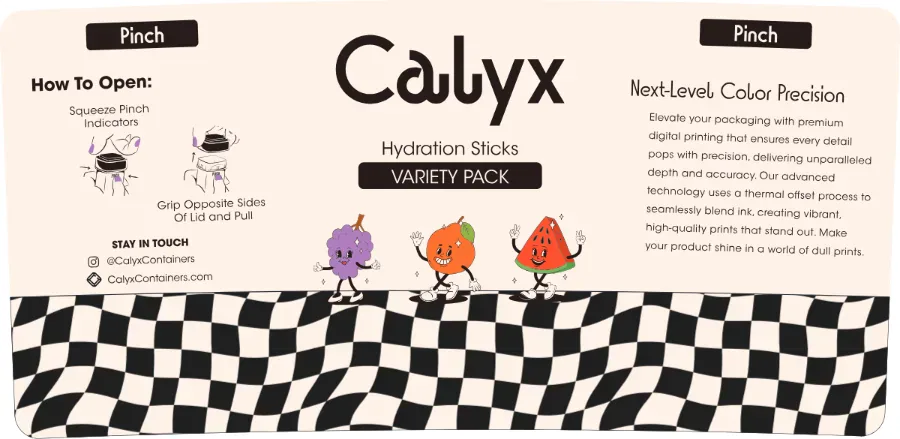
Label size calculator
Size the label from the container
Enter the diameter and panel height to get the wrap length, the label height and a dieline preview.
Open the size calculator →Estimate usable capacity with a transparent example
Plan with representative trial observations and explicit assumptions. In a simple model, accepted units equal running minutes × attempted units per running minute × acceptance fraction. Scheduled time and running time are different. Count changeovers, cleaning, roll changes and other interruptions once, using definitions that match how the rate was measured.
Suppose a hypothetical production window has 300 scheduled minutes, with 45 minutes allocated to changeover and 30 minutes to other stops. These are illustrative inputs, not measured packOS or equipment results.
If you already measured accepted units per total scheduled minute, do not apply the same downtime and reject allowances again. If speed varies by SKU, calculate each run separately and include its changeover. Account for staffing and upstream/downstream constraints outside this simple calculation.
Before buying equipment or committing a delivery schedule, compare the planned workload with demonstrated capability, the changeover sequence and an agreed contingency. A short demonstration at one format is not evidence of sustained output across the full product mix.
Make the trial representative of the difficult formats
Have your artwork? See the price for every quantity in seconds.
Get instant label pricing →Identify which formats challenge presentation or placement: small diameters, taper, handles, ribs, flexible walls or an unstable base. Use actual products or representative containers in the condition in which they will be labeled. Confirm the fixture, handling method and label-zone drawing with the equipment team.
For wrap labels, use the curved-container and seam guide and the label measurement guide. A shared nominal bottle capacity does not establish equivalent geometry. A placement pass also does not establish adhesion after filling, storage or service exposure.
Define placement, readability, appearance and adhesion checks separately. Record the sample count, observation timing, acceptance criteria and approval owner. The construction qualification guide helps keep the finished-label trial connected to the supplier specification.
Instant label pricing
Upload your artwork and see the price
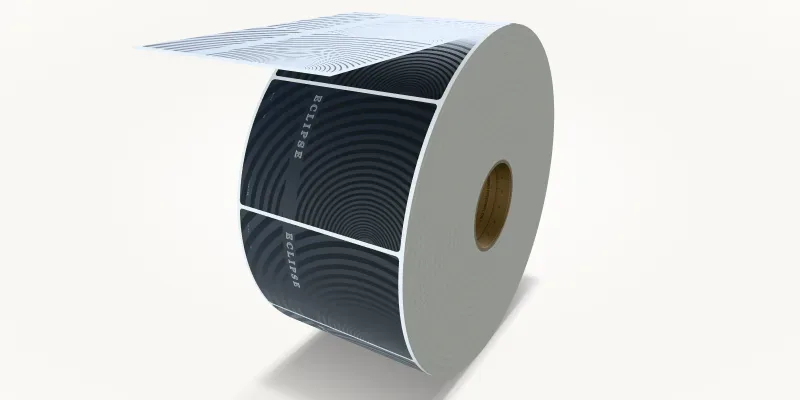
Drop in a PDF or AI file. PackOS reads the size, shape and colors and prices it from 10,000 labels per size.
Upload artwork →Send a complete application brief with the quote
For each SKU or approved family, provide:
- Artwork revision and quantities
- Container and label-zone drawings
- Application method and equipment identity
- Roll requirements
- Placement criteria and relevant service exposure
Identify which requirements are approved and which still need a trial.
Request a custom roll-label quote with artwork and quantities, then review detected attributes and available specification choices. Confirm any machine, roll or qualification requirement that is not represented in the quote options. Keep the accepted construction, drawing and trial record with the production order so replenishment does not depend on an old email thread.
Frequently asked questions
How do I choose a label application method?
Compare the actual product mix, required accepted output, placement and inspection criteria, staffing, changeovers and equipment compatibility. Trial representative finished labels and containers. Monthly volume alone does not determine the right method.
Is a label dispenser the same as a semi-automatic applicator?
Not necessarily. A dispenser may present a peeled label while an operator still places it. A semi-automatic system may apply the label after an operator loads or positions the product. Confirm what the specific device automates.
Does automatic labeling eliminate manual work?
No. Integrated equipment can automate product detection and label transfer, but staffing may still be needed for setup, replenishment, inspection, maintenance, changeovers and upstream or downstream handling.
What roll specifications should I confirm before printing?
Confirm the actual equipment requirements for core, roll diameter and weight, web width, unwind, label dimensions, gap and pitch, liner and splices. Record them on an approved drawing with a revision and trial any unresolved compatibility questions.
How do I estimate accepted labeling output?
One simple model is running minutes multiplied by attempted units per running minute and the acceptance fraction. Define downtime and rejects consistently, and do not count them again if they are already included in the measured rate.
Are labels per minute and products per minute equivalent?
Only when the process uses one label per product and the count definitions match. A product with multiple labels, rework or inspection requirements needs a separate finished-unit measure.
Can one trial qualify every container in a multi-SKU program?
Do not assume so. Group formats only when their geometry, surface, construction, application and exposure conditions support the same qualification. Document representative and difficult cases and any limits to the approval.